Every premium and members-only resource for $9.99/month, as a no-commitment subscription. See the plans

PalateKit

Menu

Request a resource

Describe the resource you are missing in one sentence. We will email you when it is published.

0 / 280

Unlock PalateKit

Unlock everything

Plan

Paying means accepting our terms of sale.

Secure payment by Stripe. Receipts and invoices sent by email.

Welcome back

Sign in to install, download or save this resource. A free account is enough for free resources.

High-tech website UI redesign v1.0.0

Use this resource to explore several visual redesigns of an existing website

New

  • 87 downloads
  • 55 likes
  • 243 saves

Free

Install with the CLI

In a terminal, from the folder you want:

npx --yes palatekit@latest install futuristic-website-ui-redesign

First time: connect the CLI with

npx --yes palatekit@latest login

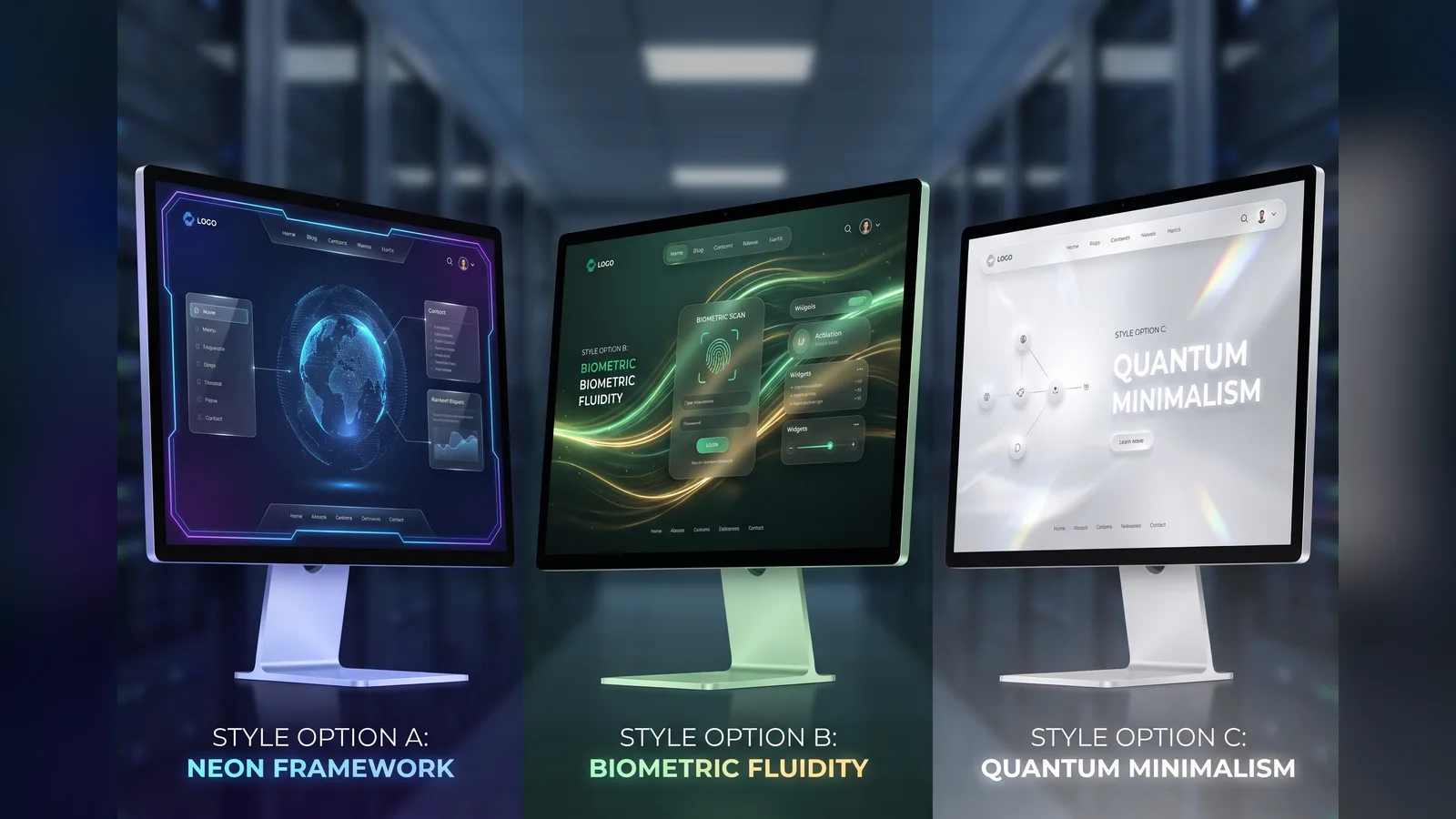
The prompt asks the tool to act as a UI/UX designer and produce several high-end styles with a technology look. All existing features stay; only layout and theme change. You get a set of mockups to show a client.

Updated November 2, 2026

Several website mockups in a futuristic, technology-inspired style.

Details

Generates with
Image2
Licence
CC0-1.0

Similar resources

View all

What you get

  • prompt.txt: the prompt, ready to paste
  • Clear constraints: features kept, intuitive flow
  • A request for several styles to compare

Good fit for

  • Offering redesign directions to a client
  • Modernizing the look of a startup site
  • Comparing several directions before coding

Not for

  • Adding or removing features
  • Producing the final site code

Tags

  • ui
  • redesign
  • mockup
  • website
  • futuristic

About

You say

"Here is a screenshot of my SaaS site; give me four high-tech styles that keep every feature."
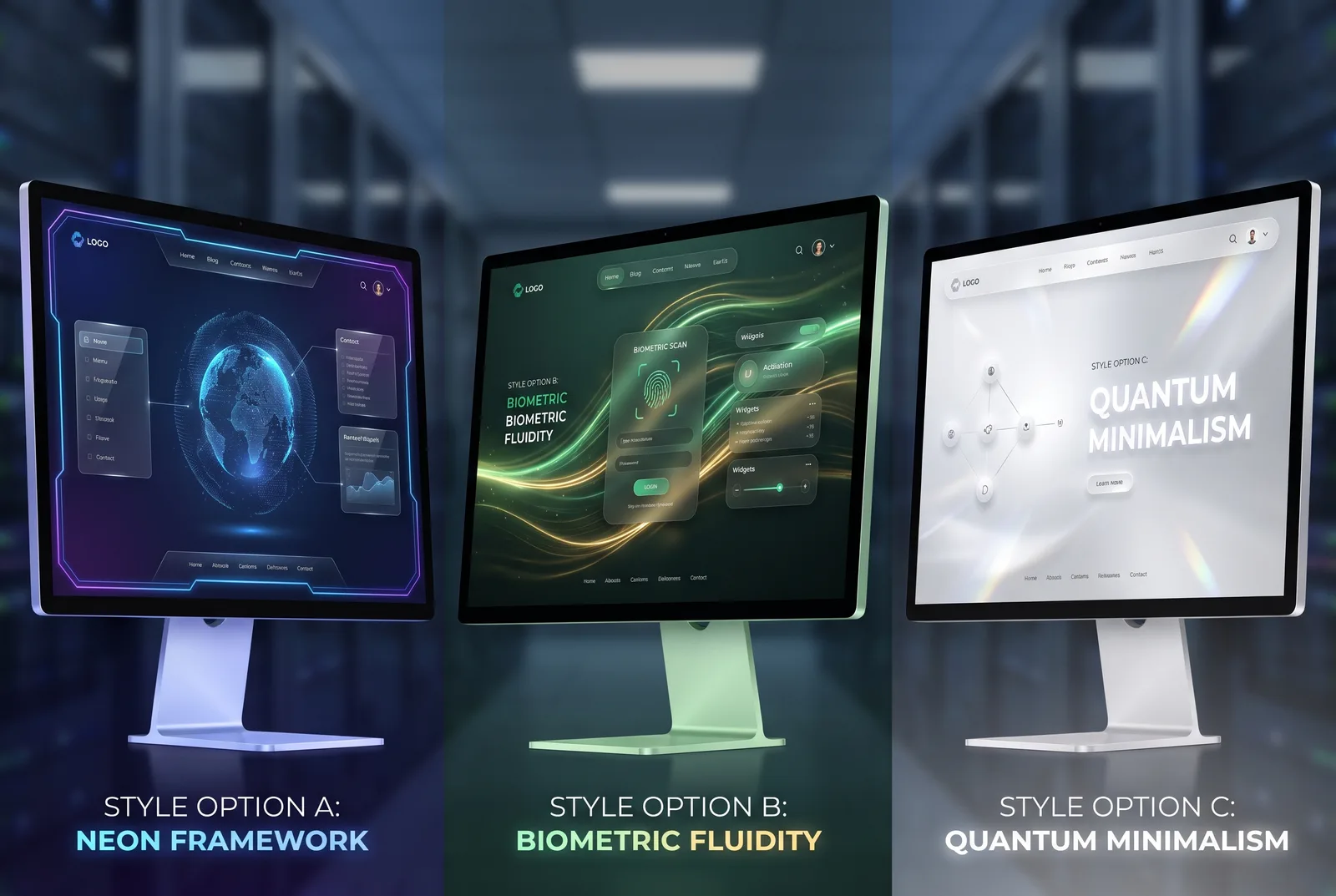
Several website mockups in a futuristic, technology-inspired style.

Prompt published by 1079065558 under the CC0-1.0 license.

Show more

Prerequisites

You bring
A screenshot of the current site and Your brand colors, if any

How to use it

  1. Attach a screenshot of the current site
  2. Paste the prompt into your image tool
  3. Compare the styles and keep one

Content preview

Files

  • futuristic-website-ui-redesign.md0.6 KB
  • LICENSE0.6 KB
  • NOTICE-PALATEKIT.md0.4 KB

Origin and licence

Modified by PalateKit

Author
1079065558
Source
github.com/f/prompts.chat/blob/cecef6fc73c2c389770695a56252d331981727de/prompts.csv
Licence
CC0-1.0

Notice

Version modifiée de « High-End Technology-Inspired Website UI Redesign » (1079065558, CC0-1.0) : traduction française et fiche par PalateKit.

User reviews

–

No ratings yet

Loading reviews…

Delete your review?

Your rating and comment will be removed from the page.

Frequently asked questions

Do I need the Image2 tool?

No, any image generator that accepts a reference image works.

Can I specify colors?

Yes, add your palette or brand guide before the constraints.