Every premium and members-only resource for $9.99/month, as a no-commitment subscription. See the plans

PalateKit

Menu

Request a resource

Describe the resource you are missing in one sentence. We will email you when it is published.

0 / 280

Unlock PalateKit

Unlock everything

Plan

Paying means accepting our terms of sale.

Secure payment by Stripe. Receipts and invoices sent by email.

Welcome back

Sign in to install, download or save this resource. A free account is enough for free resources.

PalateKit Pick

Turn an image into a paper-cut illustration v1.0.0

Use this resource to turn an existing image into a paper-cut illustration

New

  • 330 downloads
  • 46 likes
  • 133 saves

Free

Install with the CLI

In a terminal, from the folder you want:

npx --yes palatekit@latest install paper-cut-layered-illustration

First time: connect the CLI with

npx --yes palatekit@latest login

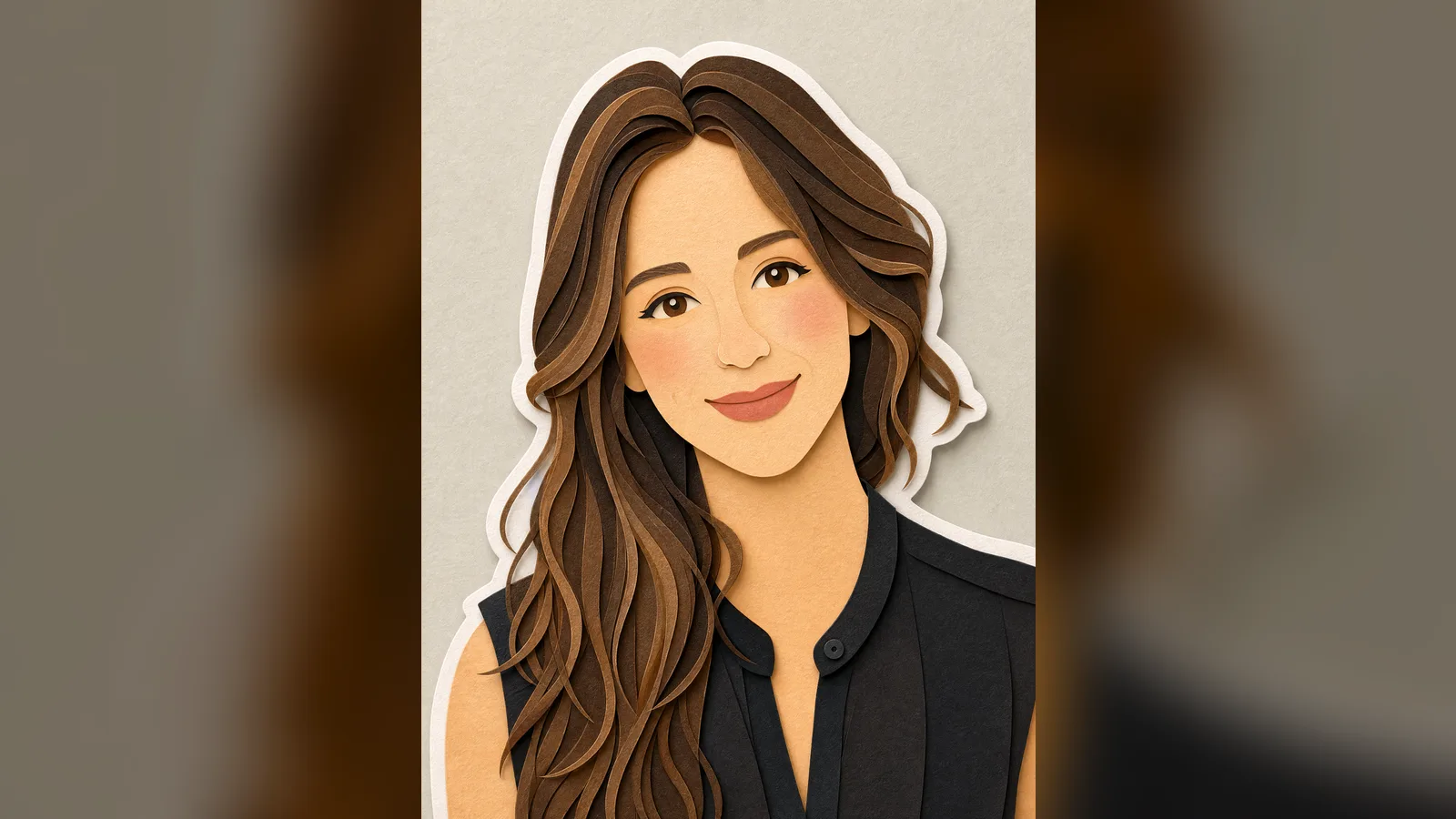
This prompt asks GPT Image 2 to rebuild an uploaded image in stacked cardstock layers, with shadows between layers, paper grain and a white border around the characters. Composition, pose and framing are preserved. It is split into sections (format, style, material, palette, lighting) that are easy to adjust.

Mostly picked by

Updated November 2, 2026

Scene illustrated in layered cut paper in pastel tones with a white border around the characters

Details

Generates with
GPT Image 2
Licence
CC-BY-4.0

Similar resources

View all

What you get

  • The original prompt (prompt.txt)
  • Editable sections: style, material, palette, lighting, composition
  • A negative list to avoid plastic or photorealistic looks

Good fit for

  • Creating children's-book visuals from photos
  • Building a warm visual identity for social media
  • Illustrating teaching material in a gentle style

Not for

  • Getting a photorealistic result
  • Generating a scene without a starting image

Tags

  • paper cut
  • illustration
  • pastel
  • children's book
  • transformation

About

You say

"Apply this prompt to my uploaded photo to make a 3:4 paper-cut diorama."
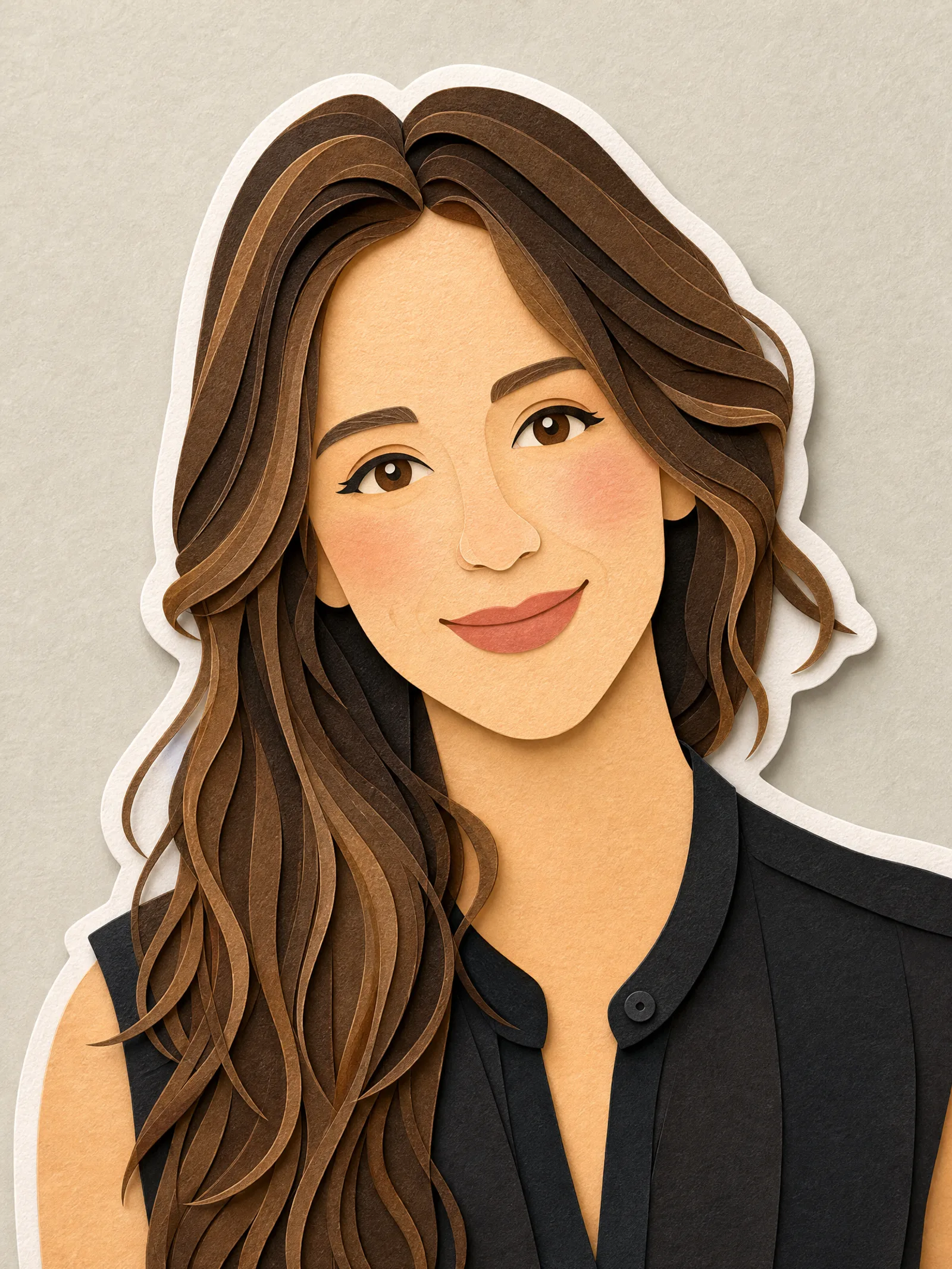
Scene illustrated in layered cut paper in pastel tones with a white border around the characters

Prompt published by Visual AI Club under the CC-BY-4.0 license.

Show more

Prerequisites

You bring
A reference image to upload and Optionally another color palette

How to use it

  1. Copy the prompt into your image generation tool
  2. Replace the variables and fields with your own elements
  3. Generate, then tweak the details until you get the result you want

Content preview

Files

  • LICENSE1.4 KB
  • NOTICE-PALATEKIT.md0.5 KB
  • paper-cut-layered-illustration.md2.6 KB

Origin and licence

Modified by PalateKit

Author
Visual AI Club
Source
github.com/YouMind-OpenLab/awesome-gpt-image-2/blob/f06c0dd7fdfd593473ebdd932316bc9718d9ec3f/README.md
Licence
CC-BY-4.0

Notice

Version modifiée de « Comic / Storyboard - Paper Cutout Illustration Prompt for GPT Image 2 » (Visual AI Club, CC-BY-4.0) : traduction française et fiche par PalateKit.

User reviews

–

No ratings yet

Loading reviews…

Delete your review?

Your rating and comment will be removed from the page.

Frequently asked questions

Do I need a starting image?

Yes, upload a reference image before running the prompt: it asks to preserve its composition.

How do I change the colors?

Edit the palette section, for example by replacing the blues and greens with your brand tones.