Every premium and members-only resource for $9.99/month, as a no-commitment subscription. See the plans

PalateKit

Menu

Request a resource

Describe the resource you are missing in one sentence. We will email you when it is published.

0 / 280

Unlock PalateKit

Unlock everything

Plan

Paying means accepting our terms of sale.

Secure payment by Stripe. Receipts and invoices sent by email.

Welcome back

Sign in to install, download or save this resource. A free account is enough for free resources.

Illustrated high-density explainer slide v1.0.0

Use this resource to create an illustrated explainer slide on a given theme

New

  • 529 downloads
  • 32 likes
  • 131 saves

Free

Install with the CLI

In a terminal, from the folder you want:

npx --yes palatekit@latest install ponchi-e-explainer-slide

First time: connect the CLI with

npx --yes palatekit@latest login

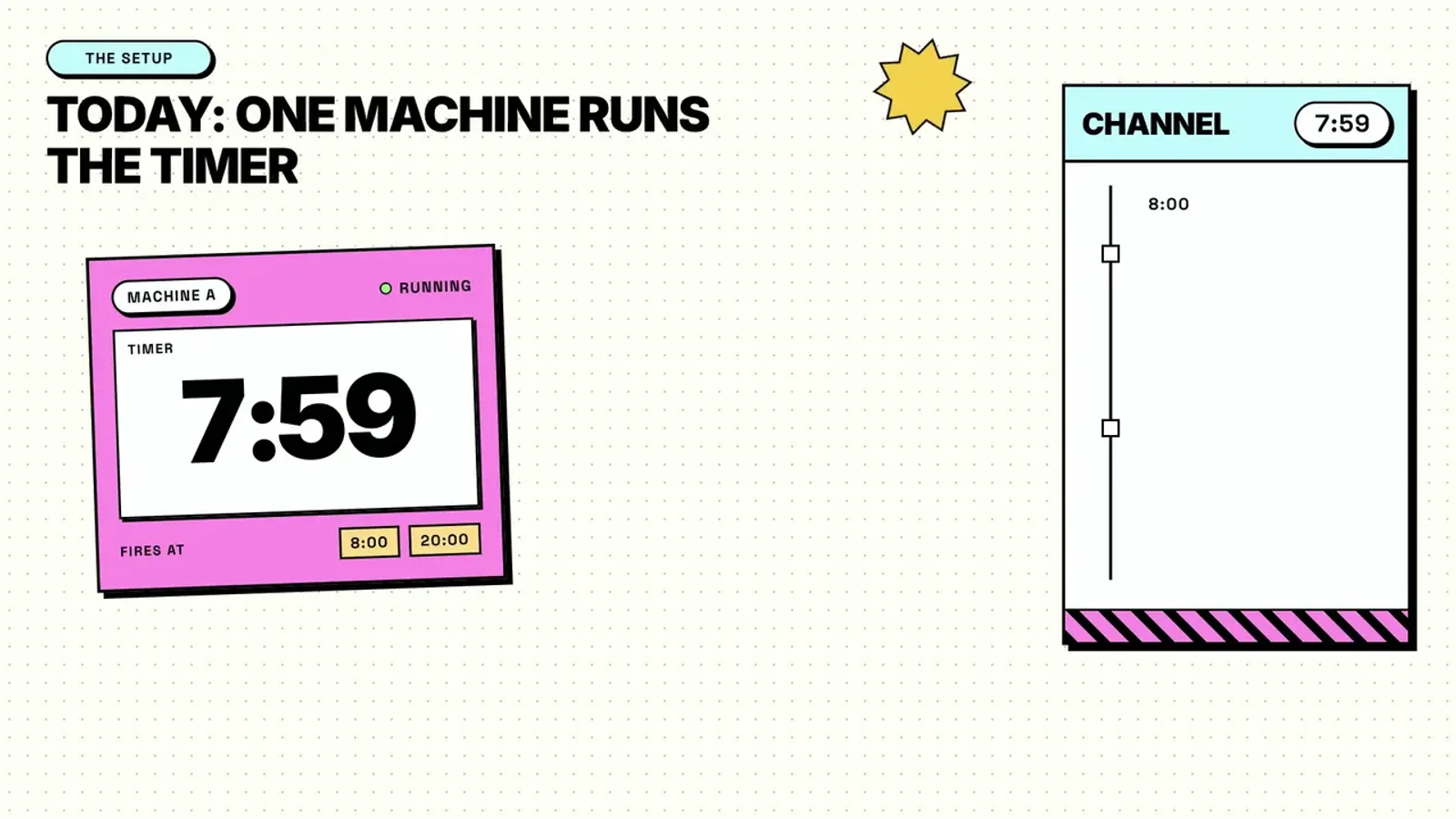
You choose a theme and a format (diagram, timeline, table); the prompt asks for a slide that mixes the warm tone of simple illustrations with the density of an institutional presentation. You get an educational visual ready to adapt for course material or a report.

Mostly picked by

Updated November 2, 2026

Explainer slide with soft illustrations and high information density in a hybrid style.

Details

Generates with
GPT Image 2
Licence
CC-BY-4.0

Similar resources

View all

What you get

  • prompt.txt: short prompt (French translation in the French version), "format" and "theme" variables kept
  • A starting template to enrich with your own instructions
  • Two variables that are easy to change

Good fit for

  • Course material explaining a tale or concept
  • Summary presentation for a client
  • Educational card for social media

Not for

  • Slides with exact figures that must be verified
  • Presentations with very long text

Tags

  • slide
  • education
  • infographic
  • illustration
  • explainer

About

You say

"Use this prompt with the theme 'water cycle' and the format 'timeline'."
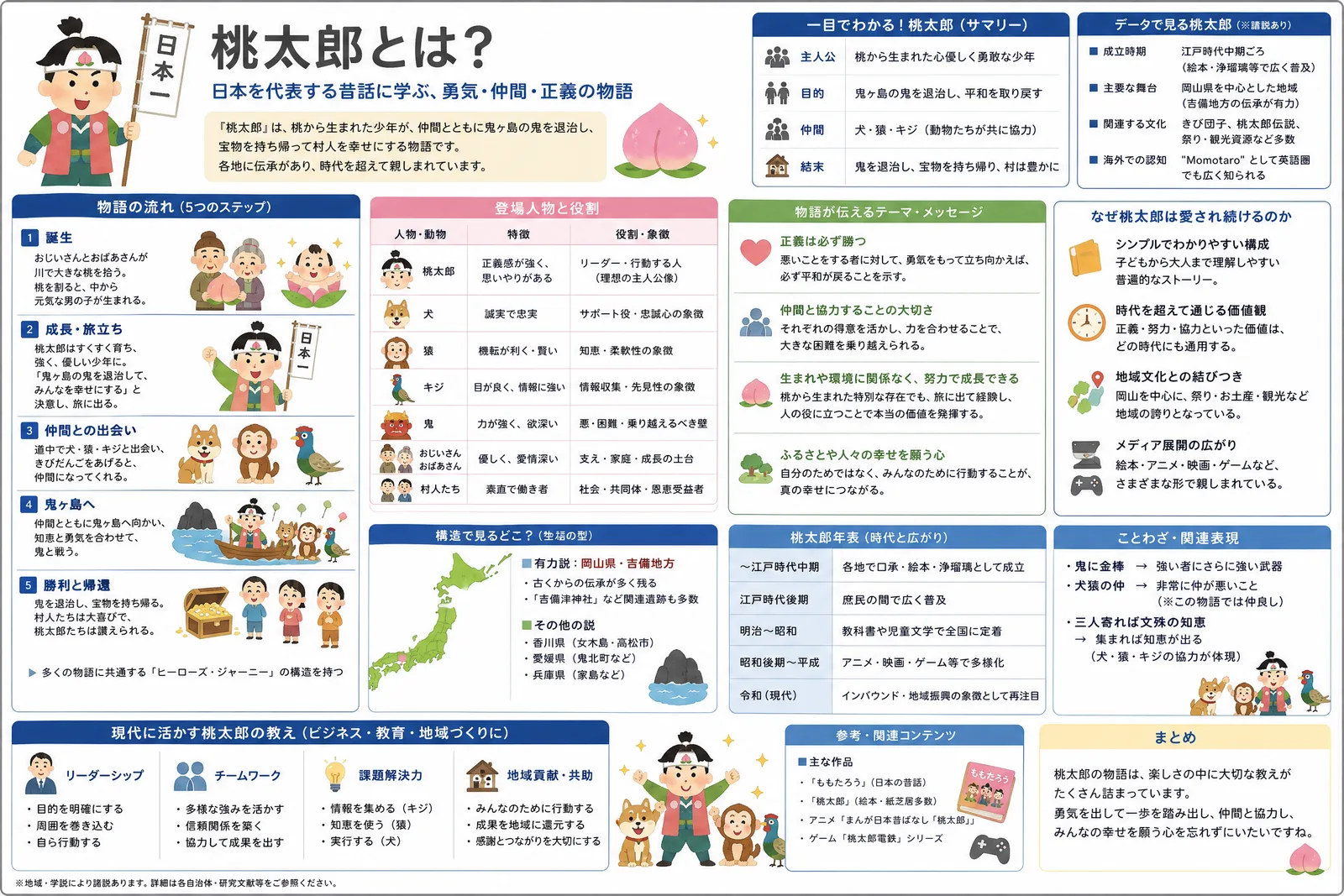
Explainer slide with soft illustrations and high information density in a hybrid style.

Prompt published by やまもん under the CC-BY-4.0 license, translated by PalateKit.

Show more

Prerequisites

You bring
A theme to explain and The desired format (diagram, timeline, table)

How to use it

  1. Replace the "format" and "theme" variables.
  2. Paste the prompt into your image generation tool.
  3. Generate, then proofread all the text shown.

Content preview

Files

  • LICENSE1.4 KB
  • NOTICE-PALATEKIT.md0.4 KB
  • ponchi-e-explainer-slide.md0.2 KB

Origin and licence

Modified by PalateKit

Author
やまもん
Source
github.com/YouMind-OpenLab/awesome-gpt-image-2/blob/f06c0dd7fdfd593473ebdd932316bc9718d9ec3f/README.md
Licence
CC-BY-4.0

Notice

Version modifiée de « Momotaro Explainer Slide in Hybrid Style » (やまもん, CC-BY-4.0) : traduction française et fiche par PalateKit.

User reviews

–

No ratings yet

Loading reviews…

Delete your review?

Your rating and comment will be removed from the page.

Frequently asked questions

The prompt is very short, is it enough?

It is a base; add the key points to include for better results.

What do the two style references mean?

They refer to simple, warm Japanese illustrations and very information-dense government presentations.