Every premium and members-only resource for $9.99/month, as a no-commitment subscription. See the plans

PalateKit

Menu

Request a resource

Describe the resource you are missing in one sentence. We will email you when it is published.

0 / 280

Unlock PalateKit

Unlock everything

Plan

Paying means accepting our terms of sale.

Secure payment by Stripe. Receipts and invoices sent by email.

Welcome back

Sign in to install, download or save this resource. A free account is enough for free resources.

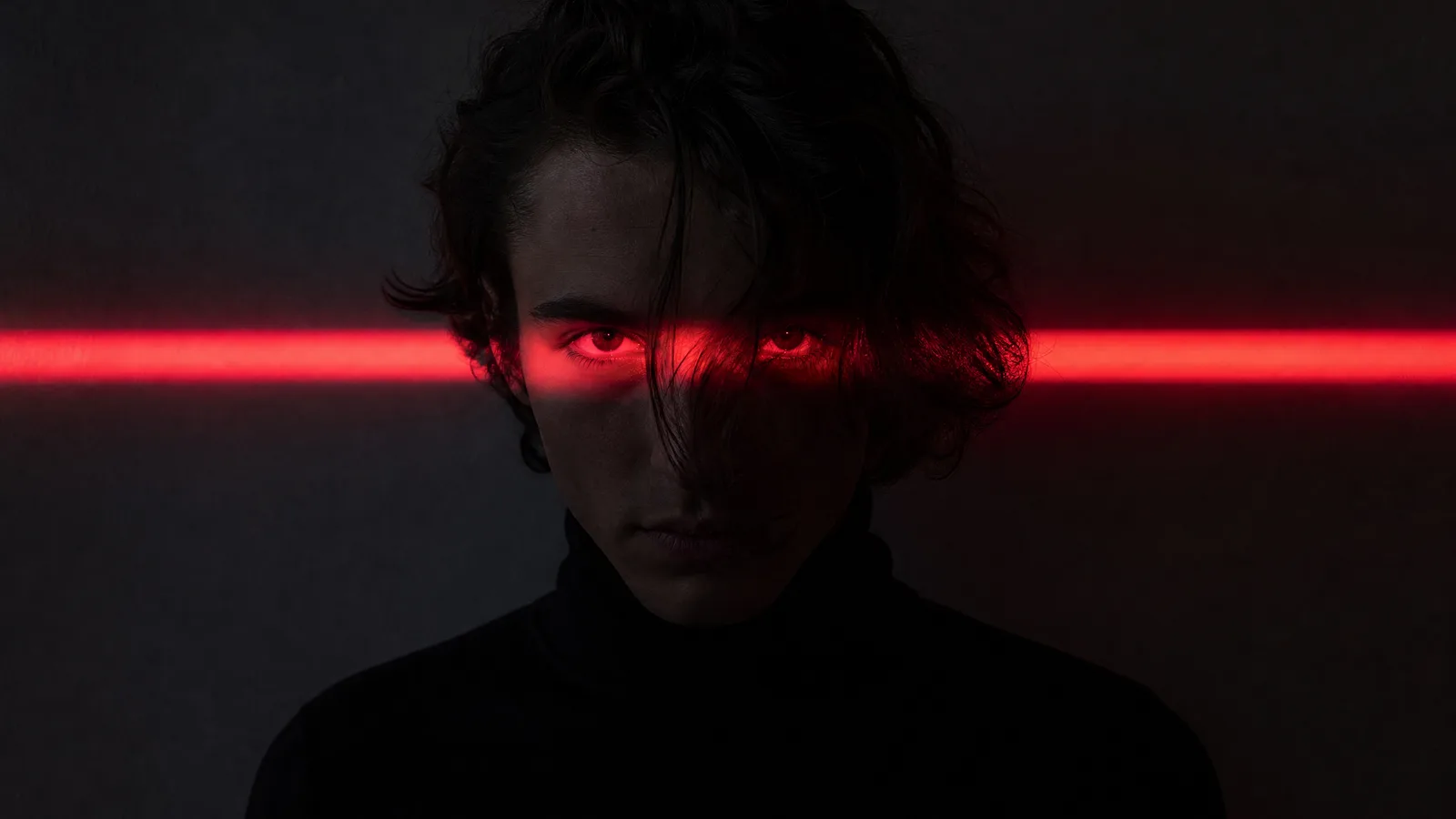
Dramatic portrait with a red light band v1.0.0

Use this resource to create a dark cinematic portrait from a photo

New

  • 47 downloads
  • 211 likes
  • 86 saves

Free

Install with the CLI

In a terminal, from the folder you want:

npx --yes palatekit@latest install red-eye-light-dramatic-portrait

First time: connect the CLI with

npx --yes palatekit@latest login

You import a photo; the prompt asks for a centred, ultra-realistic portrait in a black turtleneck, with a horizontal red light lighting only the eyes. You get a restrained, striking image, useful as a profile photo or personal-branding visual.

Updated November 2, 2026

Dark portrait in a black turtleneck with a red light band across the eyes against a grey wall.

Details

Generates with
GPT Image 2
Licence
CC-BY-4.0

Similar resources

View all

What you get

  • prompt.txt: the prompt (French translation in the French version), "photo" variable kept
  • Lighting and mood guidance in one sentence
  • A simple base to adapt to other light colours

Good fit for

  • Professional profile photo with a strong style
  • Cover visual for a channel or podcast
  • Mood image for a personal brand

Not for

  • Official ID photos
  • Portraits of people without their consent

Tags

  • portrait
  • red light
  • cinematic
  • profile photo
  • mood

About

You say

"Use this prompt with my photo, but with a blue light instead of red."
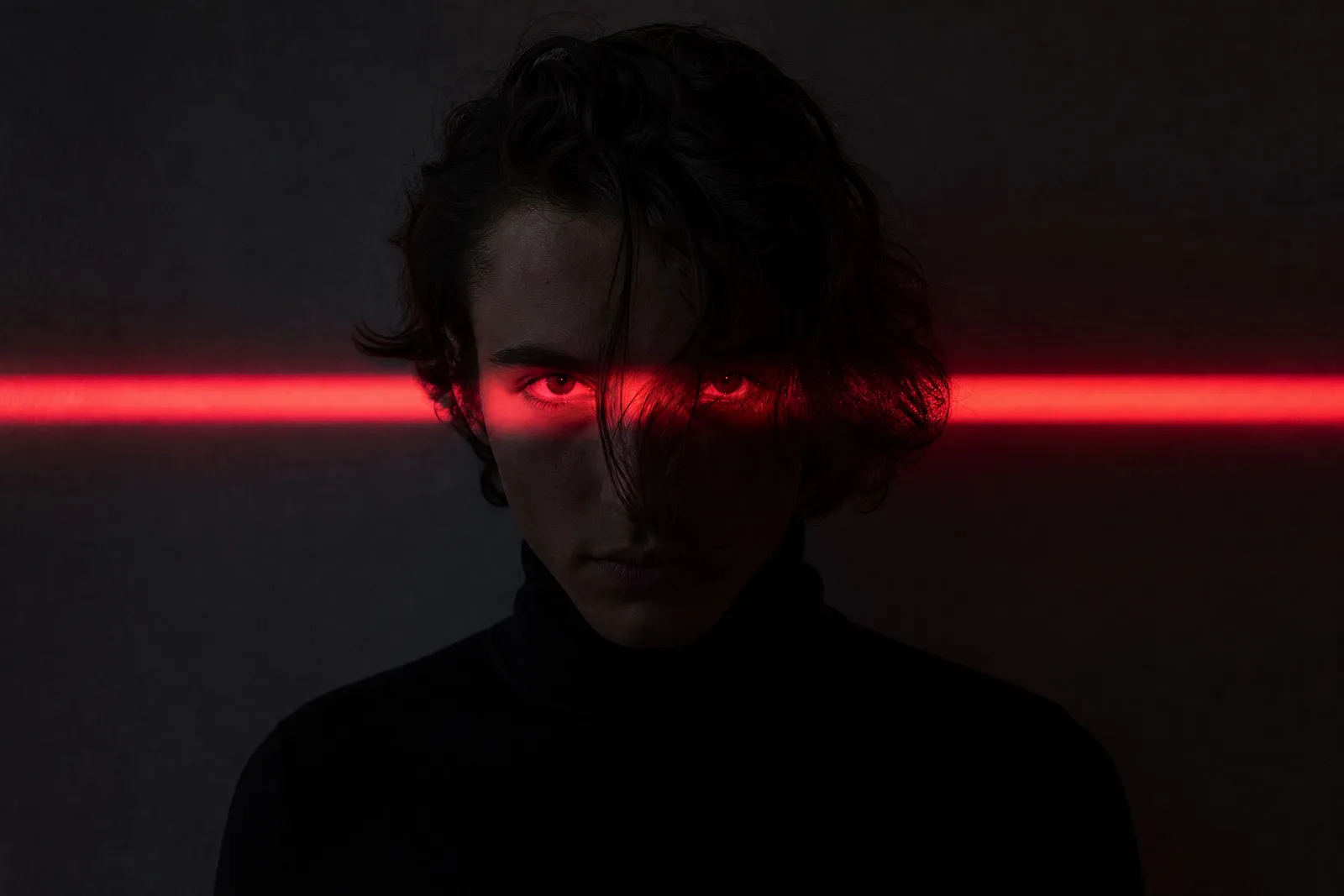
Dark portrait in a black turtleneck with a red light band across the eyes against a grey wall.

Prompt published by Ibrahim Kamara · Travail & Argent under the CC-BY-4.0 license, translated by PalateKit.

Show more

Prerequisites

You bring
A photo of the person to depict

How to use it

  1. Import your photo into the tool.
  2. Paste the prompt and choose the light band colour.
  3. Generate and keep the version that best preserves your features.

Content preview

Files

  • LICENSE1.4 KB
  • NOTICE-PALATEKIT.md0.5 KB
  • red-eye-light-dramatic-portrait.md0.3 KB

Origin and licence

Modified by PalateKit

Author
Ibrahim Kamara · Travail & Argent
Source
github.com/YouMind-OpenLab/awesome-gpt-image-2/blob/f06c0dd7fdfd593473ebdd932316bc9718d9ec3f/README.md
Licence
CC-BY-4.0

Notice

Version modifiée de « Profile / Avatar - Dramatic Portrait with Red Light on Eyes » (Ibrahim Kamara · Travail & Argent, CC-BY-4.0) : traduction française et fiche par PalateKit.

User reviews

–

No ratings yet

Loading reviews…

Delete your review?

Your rating and comment will be removed from the page.

Frequently asked questions

Are facial features preserved?

It depends on the tool; check the likeness and rerun if needed.

Can I use another person's photo?

Only with their explicit consent.