Every premium and members-only resource for $9.99/month, as a no-commitment subscription. See the plans

PalateKit

Menu

Request a resource

Describe the resource you are missing in one sentence. We will email you when it is published.

0 / 280

Unlock PalateKit

Unlock everything

Plan

Paying means accepting our terms of sale.

Secure payment by Stripe. Receipts and invoices sent by email.

Welcome back

Sign in to install, download or save this resource. A free account is enough for free resources.

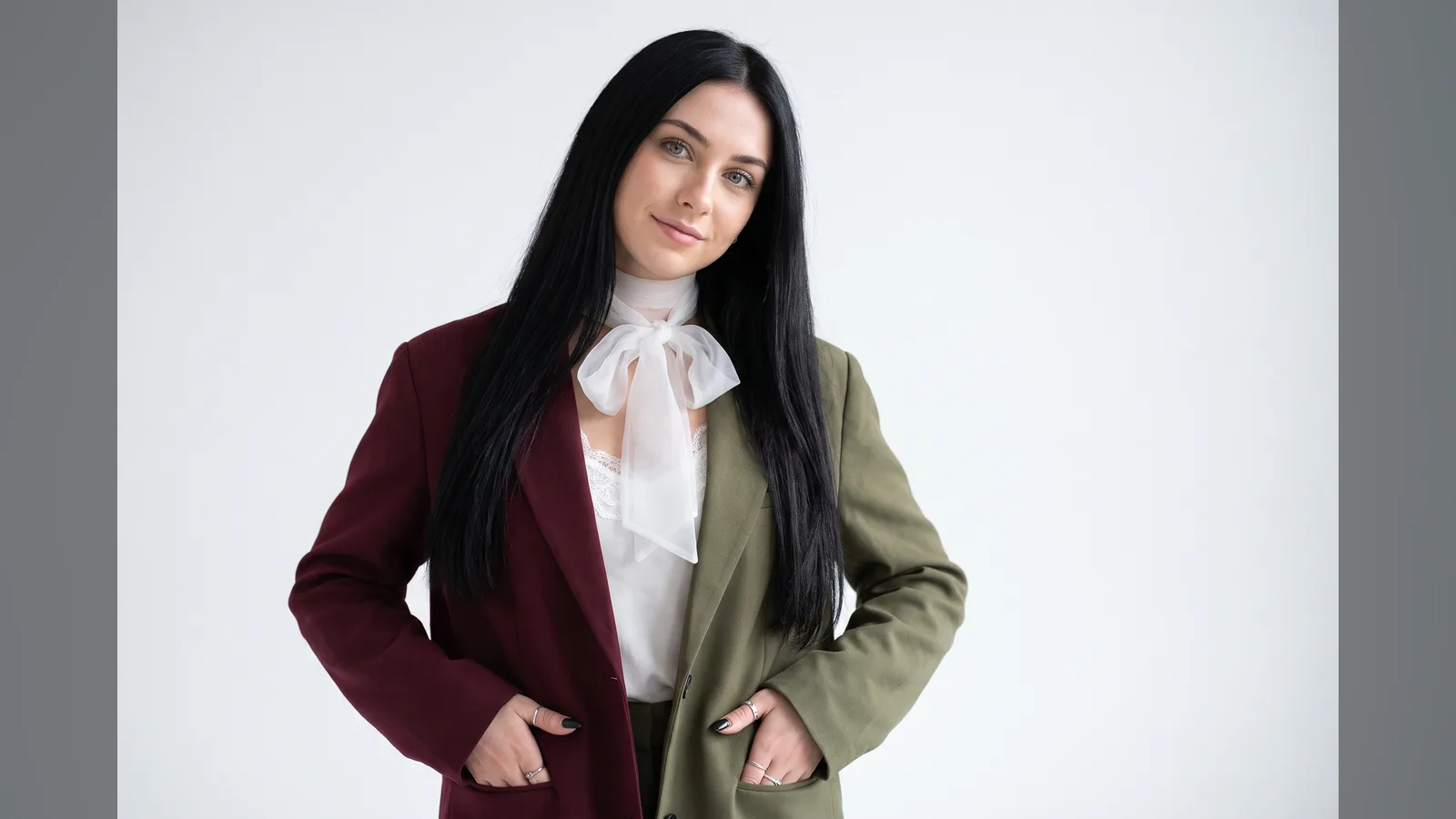
Fashion portrait in a two-tone blazer, white backdrop v1.0.0

Use this resource to create a fashion portrait to showcase a garment

New

  • 359 downloads
  • 208 likes
  • 202 saves

Free

Install with the CLI

In a terminal, from the folder you want:

npx --yes palatekit@latest install two-tone-blazer-fashion-portrait

First time: connect the CLI with

npx --yes palatekit@latest login

The prompt describes face, hair, outfit, jewelry and nails, then waist-up framing, a white background and diffused light. It ends with negative instructions (text, distorted hands). Swap the blazer for your garment to get a lookbook visual.

Updated November 2, 2026

Fashion portrait of a woman in a burgundy and olive blazer on a white studio background

Details

Generates with
Nano Banana Pro
Uses
  • Access to Nano Banana Pro or an equivalent image generator
Licence
CC-BY-4.0

Similar resources

View all

What you get

  • prompt.txt: the prompt for Nano Banana Pro
  • Example images of the expected result
  • The variables or fields to change to fit your subject

Good fit for

  • Presenting a garment in an online shop
  • Creating a lookbook or collection page visual
  • Trying several garment colors in the same framing

Not for

  • Faithfully photographing a real garment
  • Creating an outdoor scene

Tags

  • fashion
  • portrait
  • lookbook
  • studio

About

You say

"Redo this portrait with a beige trench coat and a blue scarf."
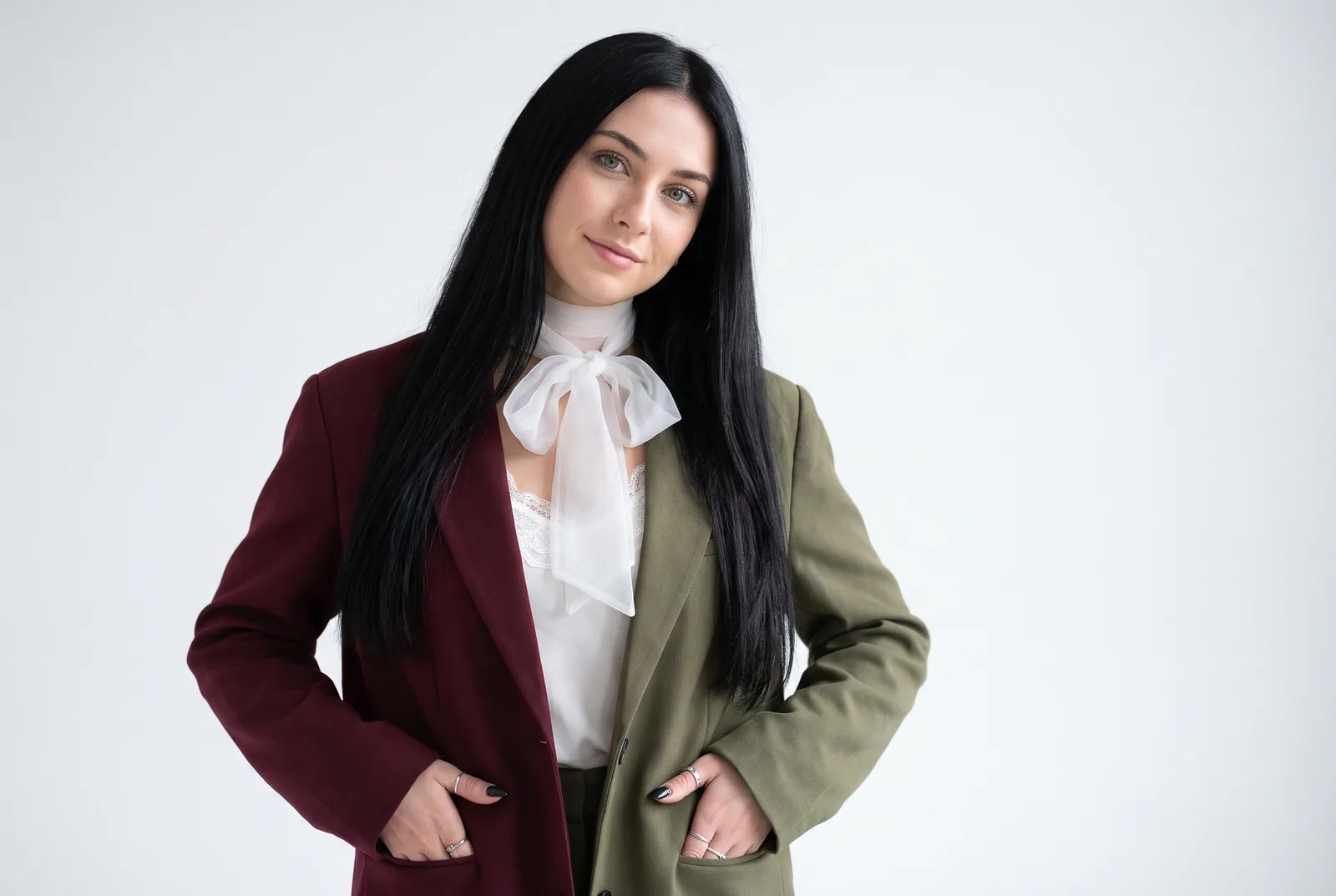
Fashion portrait of a woman in a burgundy and olive blazer on a white studio background

Prompt published by Aynah under the CC-BY-4.0 license.

Show more

Prerequisites

You bring
The garment to feature and The background or studio color
Dependencies
Access to Nano Banana Pro or an equivalent image generator

How to use it

  1. Copy the prompt into your image generation tool
  2. Replace the variables or the subject with your own
  3. Run the generation, then adjust the details

Content preview

Files

  • LICENSE1.4 KB
  • NOTICE-PALATEKIT.md0.5 KB
  • two-tone-blazer-fashion-portrait.md0.9 KB

Origin and licence

Modified by PalateKit

Author
Aynah
Source
github.com/YouMind-OpenLab/awesome-nano-banana-pro-prompts/blob/519137de239d8957e180cb62b9a6f052d329d96b/README.md
Licence
CC-BY-4.0

Notice

Version modifiée de « Profile / Avatar - Fashion Editorial Portrait Prompt for Nano Banana Pro » (Aynah, CC-BY-4.0) : traduction française et fiche par PalateKit.

User reviews

–

No ratings yet

Loading reviews…

Delete your review?

Your rating and comment will be removed from the page.

Frequently asked questions

Which model should I use?

It was written for Nano Banana Pro, but it usually works with other image generators; results may vary.

Can I edit it?

Yes. Change the variables and descriptions, but keep the prompt structure to preserve the quality of the result.