Every premium and members-only resource for $9.99/month, as a no-commitment subscription. See the plans

PalateKit

Menu

Request a resource

Describe the resource you are missing in one sentence. We will email you when it is published.

0 / 280

Unlock PalateKit

Unlock everything

Plan

Paying means accepting our terms of sale.

Secure payment by Stripe. Receipts and invoices sent by email.

Welcome back

Sign in to install, download or save this resource. A free account is enough for free resources.

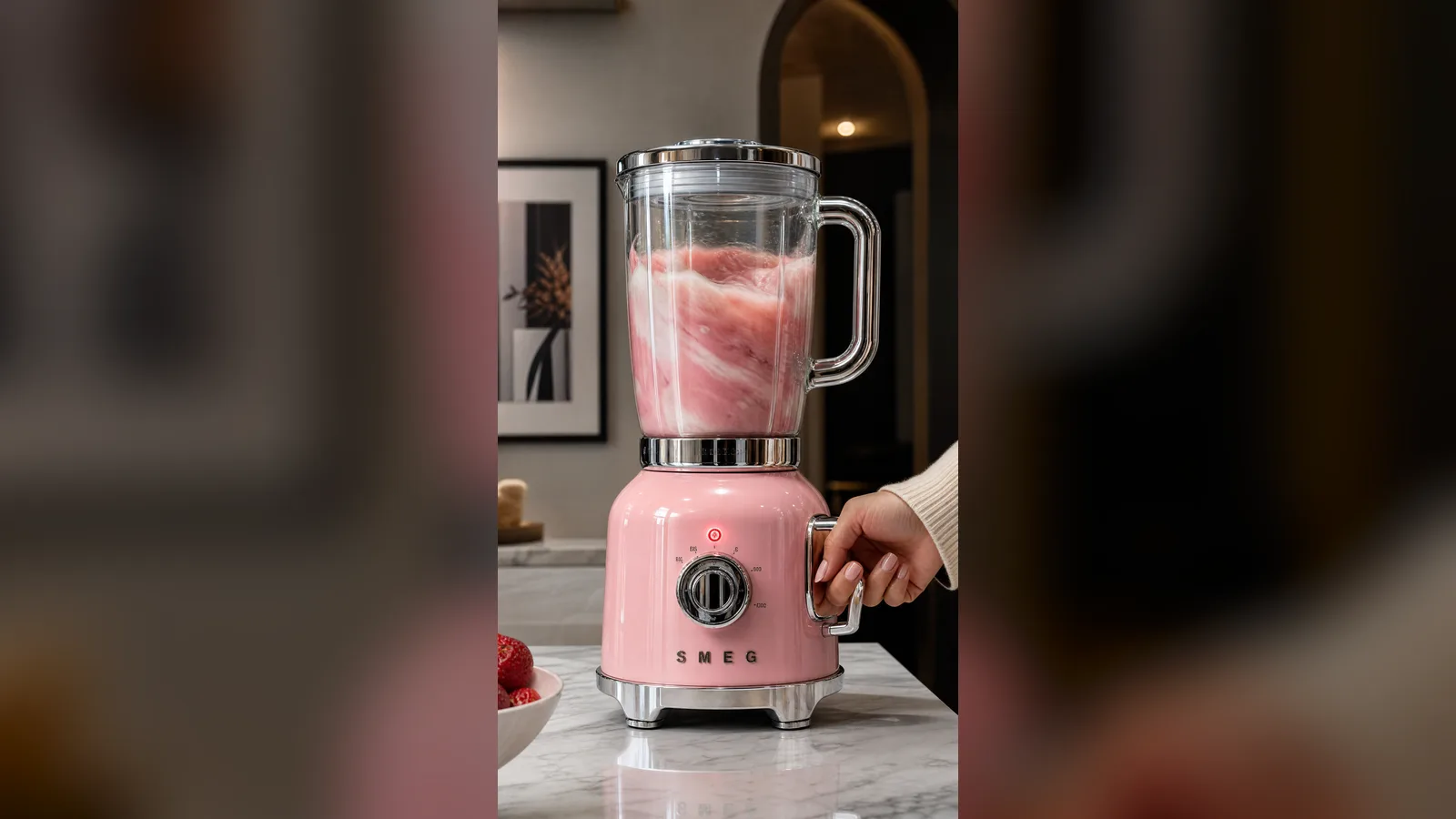
Pastel pink retro blender product photo v1.0.0

Use this resource to create a lifestyle product photo of a home appliance

New

  • 336 downloads
  • 236 likes
  • 159 saves

Free

Install with the CLI

In a terminal, from the folder you want:

npx --yes palatekit@latest install vintage-pink-blender-shot

First time: connect the CLI with

npx --yes palatekit@latest login

The prompt describes a retro pink blender with chrome and glass, a hand holding the handle and an elegant kitchen setting. You get an advertising-style product image in vertical 9:16. Swap the appliance, colour or setting to fit your catalogue.

Updated November 2, 2026

Close-up of a pastel pink retro blender on a modern kitchen countertop with chrome reflections.

Details

Generates with
GPT Image 2
Licence
CC-BY-4.0

Similar resources

View all

What you get

  • prompt.txt: the prompt (French translation in the French version)
  • Precise material description: glass, chrome, glossy lacquer
  • Warm light and shallow depth of field already set

Good fit for

  • Product page or online shop listing
  • Launch post for social media
  • Art direction test before a real photo shoot

Not for

  • Photos that must represent your exact real product
  • Technical visuals with precise dimensions

Tags

  • product photo
  • kitchen
  • retro
  • e-commerce
  • advertising

About

You say

"Use this prompt for a mint-green kettle instead of the blender."
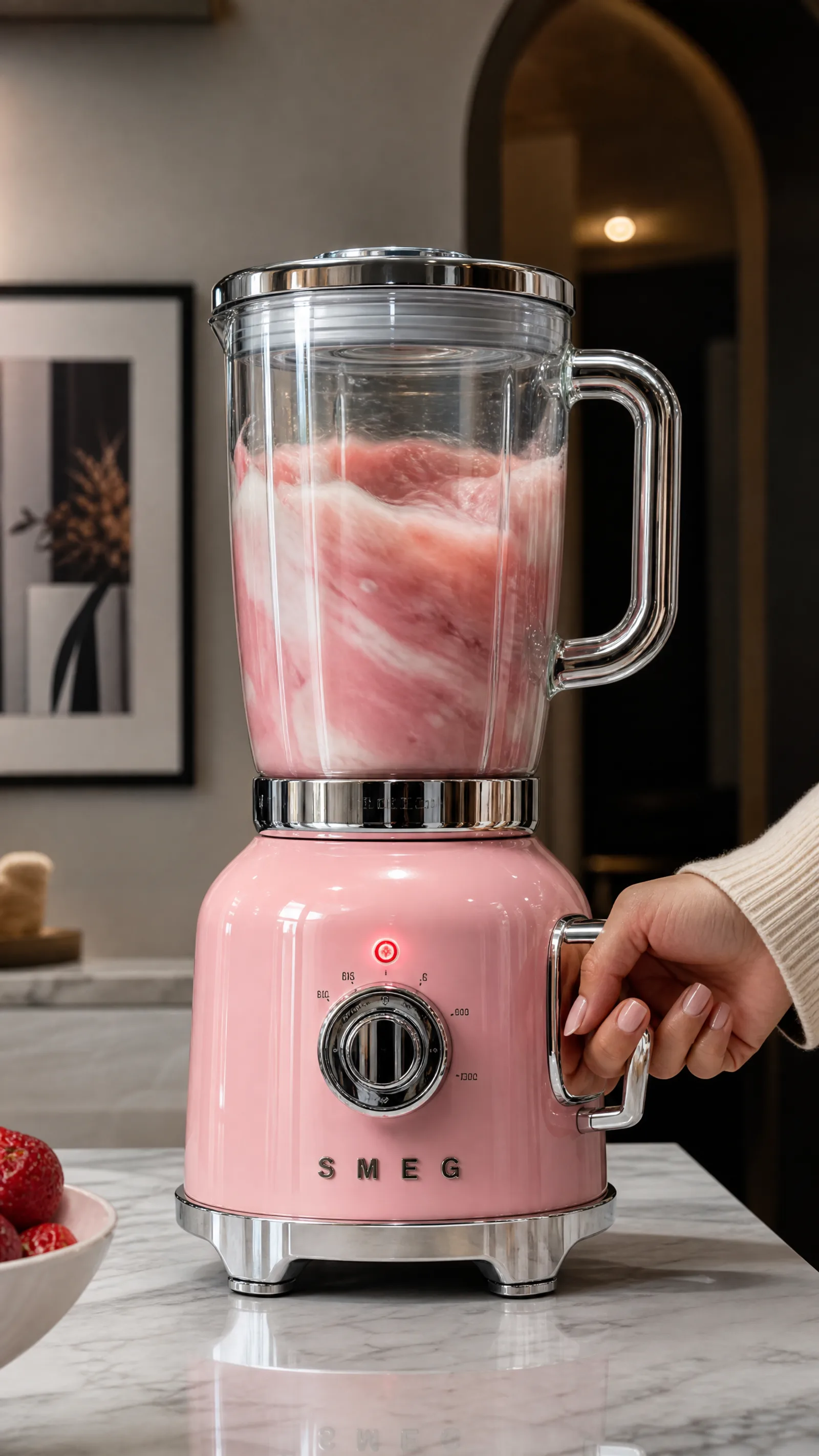
Close-up of a pastel pink retro blender on a modern kitchen countertop with chrome reflections.

Prompt published by Dua Fatima under the CC-BY-4.0 license, translated by PalateKit.

Show more

Prerequisites

You bring
The product and colour to depict

How to use it

  1. Replace the appliance, its colour and the setting.
  2. Paste the prompt into your image generation tool.
  3. Generate in 9:16 and keep the best shot.

Content preview

Files

  • LICENSE1.4 KB
  • NOTICE-PALATEKIT.md0.5 KB
  • vintage-pink-blender-shot.md0.7 KB

Origin and licence

Modified by PalateKit

Author
Dua Fatima
Source
github.com/YouMind-OpenLab/awesome-gpt-image-2/blob/f06c0dd7fdfd593473ebdd932316bc9718d9ec3f/README.md
Licence
CC-BY-4.0

Notice

Version modifiée de « E-commerce Main Image - GPT Image 2 Prompt: Vintage Pink Blender » (Dua Fatima, CC-BY-4.0) : traduction française et fiche par PalateKit.

User reviews

–

No ratings yet

Loading reviews…

Delete your review?

Your rating and comment will be removed from the page.

Frequently asked questions

Can I use it for a real product?

For a sales page, start from a real photo instead; this prompt suits mood visuals.

How do I change the colour?

Replace "pastel pink" and the chrome accents in the first sentence.