Every premium and members-only resource for $9.99/month, as a no-commitment subscription. See the plans

PalateKit

Menu

Request a resource

Describe the resource you are missing in one sentence. We will email you when it is published.

0 / 280

Unlock PalateKit

Unlock everything

Plan

Paying means accepting our terms of sale.

Secure payment by Stripe. Receipts and invoices sent by email.

Welcome back

Sign in to install, download or save this resource. A free account is enough for free resources.

Clockwork wooden kinetic sculpture v1.0.0

Use this resource to turn any subject into a studio-shot wooden automaton

New

  • 103 downloads
  • 216 likes
  • 93 saves

Free

Install with the CLI

In a terminal, from the folder you want:

npx --yes palatekit@latest install woodpunk-kinetic-automaton

First time: connect the CLI with

npx --yes palatekit@latest login

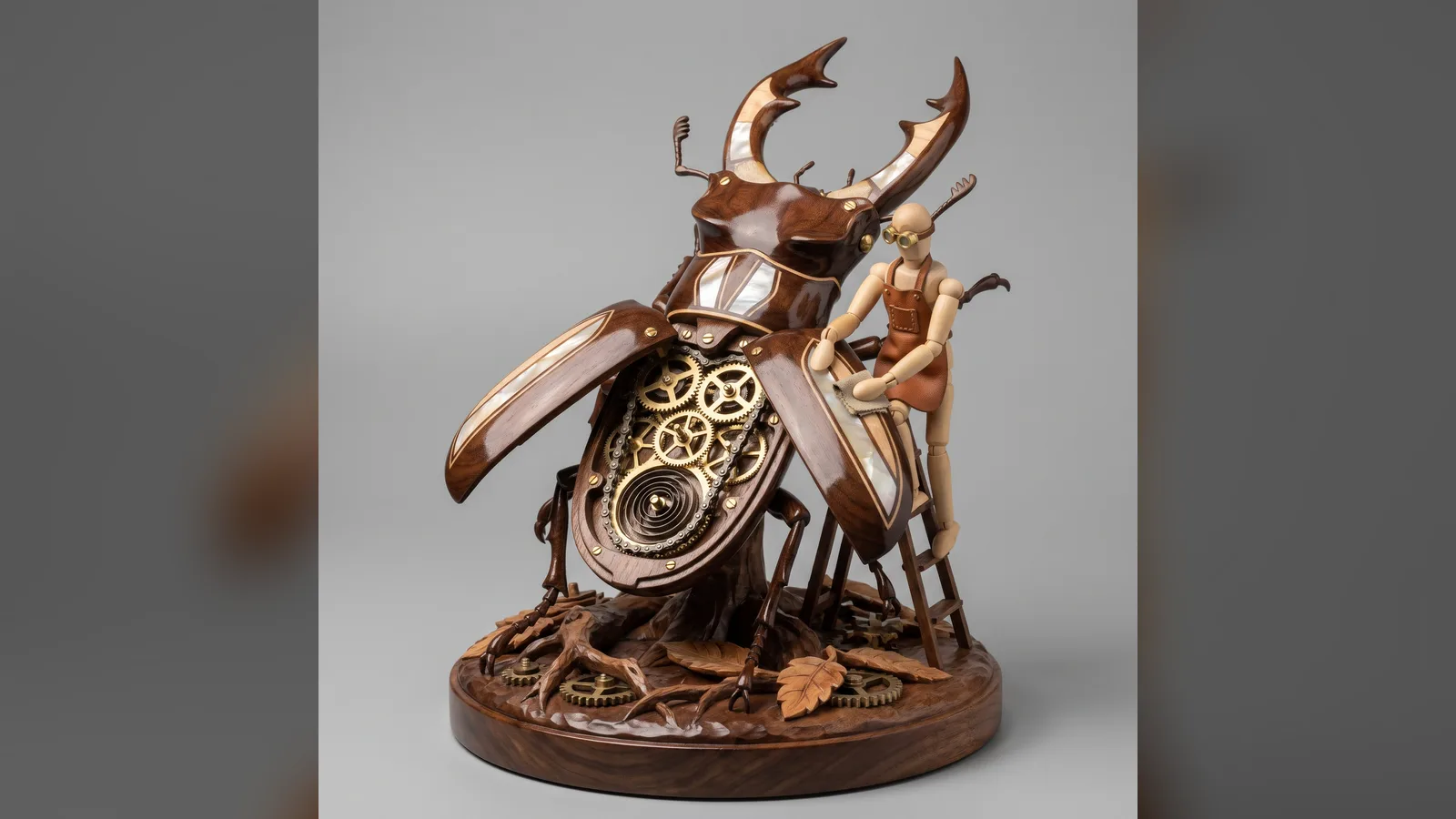
You give a subject (animal, object, concept); the prompt infers fitting woods, inlays and metals, then opens a section of the shell to reveal clockwork. A jointed wooden mannequin acts as the operator. You get a richly crafted square product photo.

Updated November 2, 2026

Varnished wooden automaton with visible clockwork and a jointed mannequin on a grey studio backdrop.

Details

Generates with
Nano Banana Pro
Licence
CC-BY-4.0

Similar resources

View all

What you get

  • prompt.txt: the five-part prompt (French translation in the French version)
  • Rules for choosing materials from the subject
  • Studio lighting and plain grey backdrop already set

Good fit for

  • Visual for a craft or toy brand
  • Illustration for an article on design and mechanics
  • A consistent series of visuals across several subjects

Not for

  • Photos of real products for sale
  • Real manufacturing plans

Tags

  • automaton
  • wood
  • steampunk
  • product photo
  • mechanical

About

You say

"Apply this prompt to the subject 'turtle' and generate the image in 1:1."
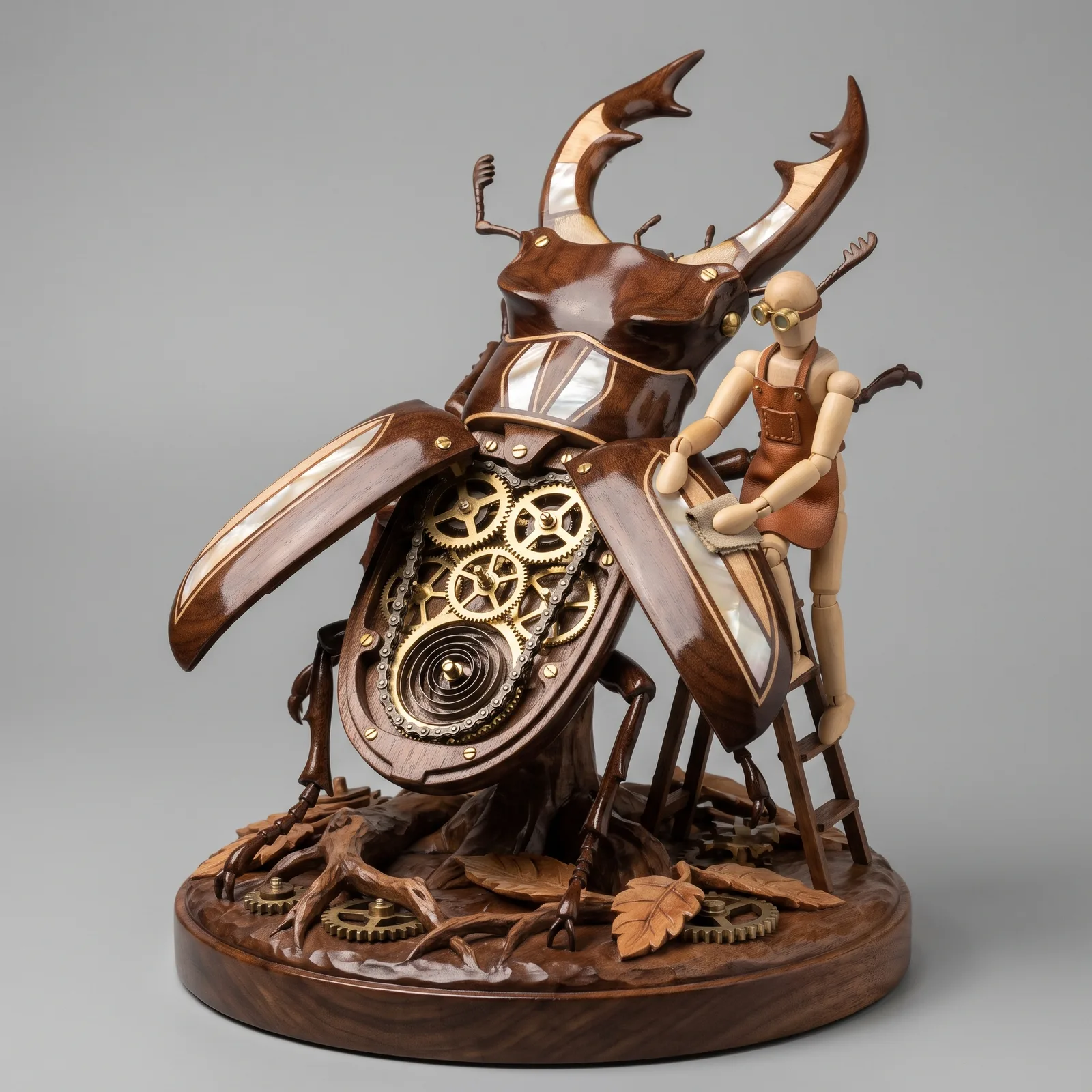
Varnished wooden automaton with visible clockwork and a jointed mannequin on a grey studio backdrop.

Prompt published by Gadgetify under the CC-BY-4.0 license, translated by PalateKit.

Show more

Prerequisites

You bring
A subject to transform (animal, object or concept)

How to use it

  1. State the subject to transform at the start of the prompt.
  2. Paste the prompt into your image generation tool.
  3. Generate in 1:1 and rerun to vary the woods.

Content preview

Files

  • LICENSE1.4 KB
  • NOTICE-PALATEKIT.md0.5 KB
  • woodpunk-kinetic-automaton.md2.2 KB

Origin and licence

Modified by PalateKit

Author
Gadgetify
Source
github.com/YouMind-OpenLab/awesome-nano-banana-pro-prompts/blob/519137de239d8957e180cb62b9a6f052d329d96b/README.md
Licence
CC-BY-4.0

Notice

Version modifiée de « Game Asset - Woodpunk Kinetic Sculpture Automaton » (Gadgetify, CC-BY-4.0) : traduction française et fiche par PalateKit.

User reviews

–

No ratings yet

Loading reviews…

Delete your review?

Your rating and comment will be removed from the page.

Frequently asked questions

Where do I put the subject?

Add it before the prompt, for example "Subject: owl", since the prompt expects a free Input A.

Can I change the backdrop colour?

Yes, replace "Neutral Studio Grey" in the lighting section.