Every premium and members-only resource for $9.99/month, as a no-commitment subscription. See the plans

PalateKit

Menu

Request a resource

Describe the resource you are missing in one sentence. We will email you when it is published.

0 / 280

Unlock PalateKit

Unlock everything

Plan

Paying means accepting our terms of sale.

Secure payment by Stripe. Receipts and invoices sent by email.

Welcome back

Sign in to install, download or save this resource. A free account is enough for free resources.

Name Banner on a Dark Card v1.0.0

Use this resource to introduce a speaker with a restrained name card

New

  • 550 downloads
  • 242 likes
  • 185 saves

Free

Install with the CLI

In a terminal, from the folder you want:

npx --yes palatekit@latest install dark-card-lower-third

First time: connect the CLI with

npx --yes palatekit@latest login

The agent places a dark card that slides up from the bottom, with the name in white, a golden line drawing below it, then the role. It swaps the texts, the line color and the position. You get a 4.8 second transparent overlay that reads well on bright footage.

Updated November 2, 2026

Details

Generates with
HyperFrames
Uses
  • HyperFrames (npx hyperframes)
  • Node.js
Licence
Apache-2.0

Similar resources

View all

What you get

  • README.md: usage guide for the banner
  • lt-dark-card.html: the animated composition (card, name, underline, role)
  • registry-item.json: 1920×1080 format, 4.8 s duration

Good fit for

  • Introducing an expert in a video shot in daylight
  • Naming a witness or a customer in a presentation video
  • Dressing an interview in a restrained, professional way

Not for

  • A very dark video, where the card blends into the image
  • A very dynamic or colorful style
  • A very long name on several lines without adjusting the size

Tags

  • lower third
  • overlay
  • dark card
  • interview
  • restrained

About

You say

"Add the dark card banner with the name Claire Dumas and the role Strategy Consultant, line in green."
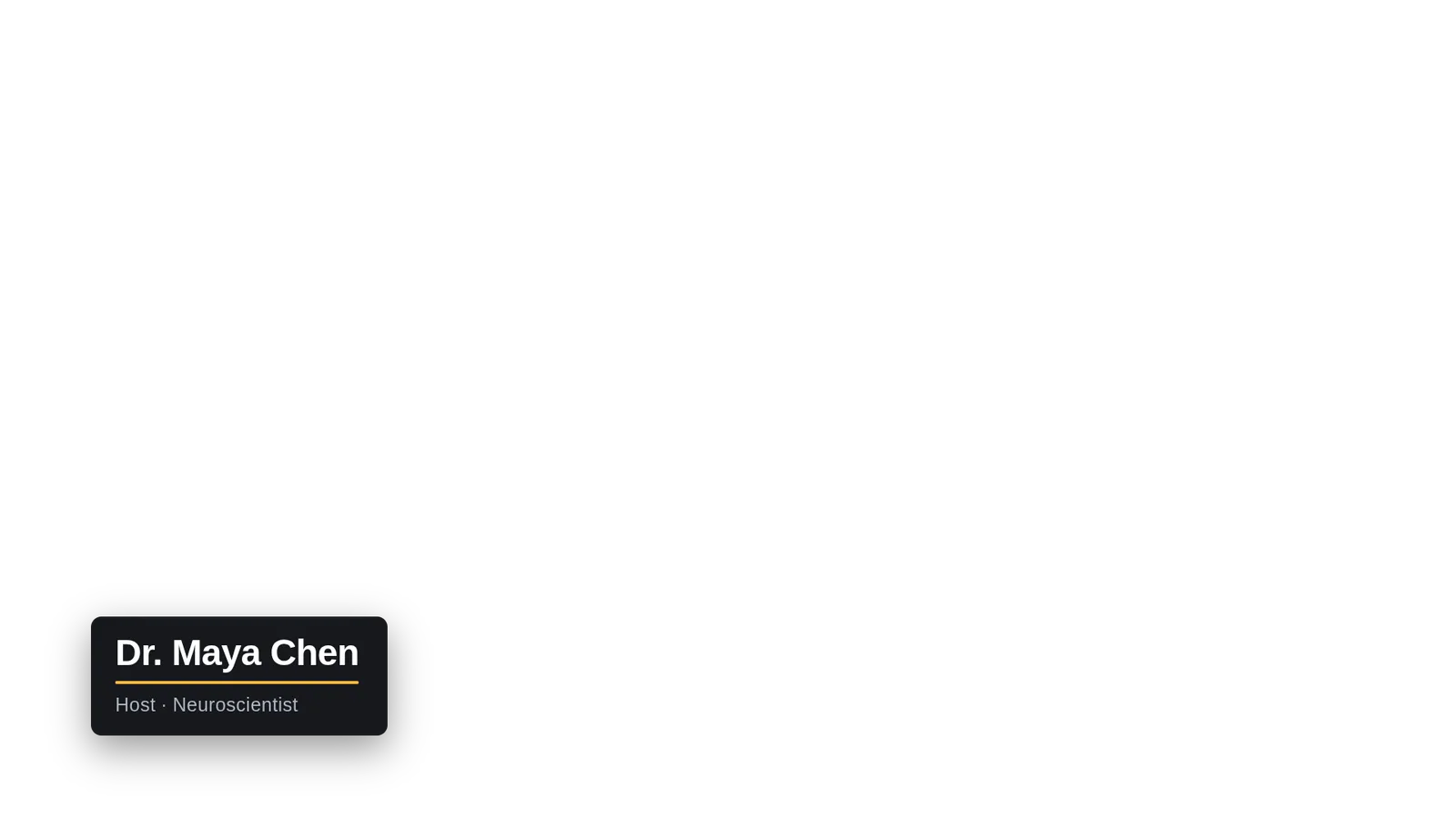
Charcoal card with a white name, a golden underline and a light gray role, at the bottom left.

Block published by HeyGen (HyperFrames) under the Apache-2.0 license.

Show more

Prerequisites

You bring
The name and role to display and Your video or HyperFrames project
Dependencies
HyperFrames (npx hyperframes) and Node.js

How to use it

  1. Install the block with npx hyperframes add lt-dark-card.
  2. Ask the agent to change the name, role and line color.
  3. Layer the block over your video and run the HyperFrames render.

Content preview

Files

  • LICENSE10.5 KB
  • lt-dark-card.html3.2 KB
  • NOTICE-PALATEKIT.md0.4 KB
  • README.md0.7 KB
  • registry-item.json0.6 KB

Origin and licence

Modified by PalateKit

Author
HeyGen (HyperFrames)
Source
github.com/heygen-com/hyperframes/tree/2c3d1e07fe63d4a2d67d63a3e29d4ad73e291d8e/registry/blocks/lt-dark-card
Licence
Apache-2.0

Notice

Version modifiée de « Lower Third — Dark Card » (HeyGen (HyperFrames), Apache-2.0) : traduction française et fiche par PalateKit.

User reviews

–

No ratings yet

Loading reviews…

Delete your review?

Your rating and comment will be removed from the page.

Frequently asked questions

Is the Montserrat font included?

No. It must be installed or loaded; the agent can also replace it with another font.

Can I place it somewhere other than bottom left?

Yes. The position comes from the left and bottom values of the .lt class, which the agent can change.