Every premium and members-only resource for $9.99/month, as a no-commitment subscription. See the plans

PalateKit

Menu

Request a resource

Describe the resource you are missing in one sentence. We will email you when it is published.

0 / 280

Unlock PalateKit

Unlock everything

Plan

Paying means accepting our terms of sale.

Secure payment by Stripe. Receipts and invoices sent by email.

Welcome back

Sign in to install, download or save this resource. A free account is enough for free resources.

Word-by-word highlighted sentence, synced to a voice v1.0.0

Use this resource to reveal a sentence word by word in time with a voiceover

New

  • 332 downloads
  • 115 likes
  • 244 saves

Free

Install with the CLI

In a terminal, from the folder you want:

npx --yes palatekit@latest install word-sweep-highlight

First time: connect the CLI with

npx --yes palatekit@latest login

The agent places a sentence on screen and animates its emphasis word by word: each word moves from light gray to full color as a progress value goes from 0 to 1. You can sync that value to a voiceover. Text, size, position, width and light or dark scheme are set in one small parameter block.

Updated November 2, 2026

Details

Generates with
HyperFrames
Uses
  • HyperFrames
Licence
Apache-2.0

Similar resources

View all

What you get

  • mk-callout-highlight.html: the block (8 s, 1920 x 1080, transparent) with its CONFIG settings object
  • registry-item.json: block metadata
  • README.md: usage guide

Good fit for

  • Quoting a key sentence in an explainer video
  • Following a voiceover with a clean karaoke effect
  • Showing a brand message on a social video

Not for

  • Full subtitles with automatic timestamps
  • Long multi-paragraph text
  • A decorative or handwritten style (see the handwritten title instead)

Tags

  • karaoke
  • typography
  • captions
  • animated text
  • voiceover

About

You say

"Show the sentence 'Simplicity is our priority' on the right of the screen, words highlighted from 1 to 5 seconds, dark version over my video."
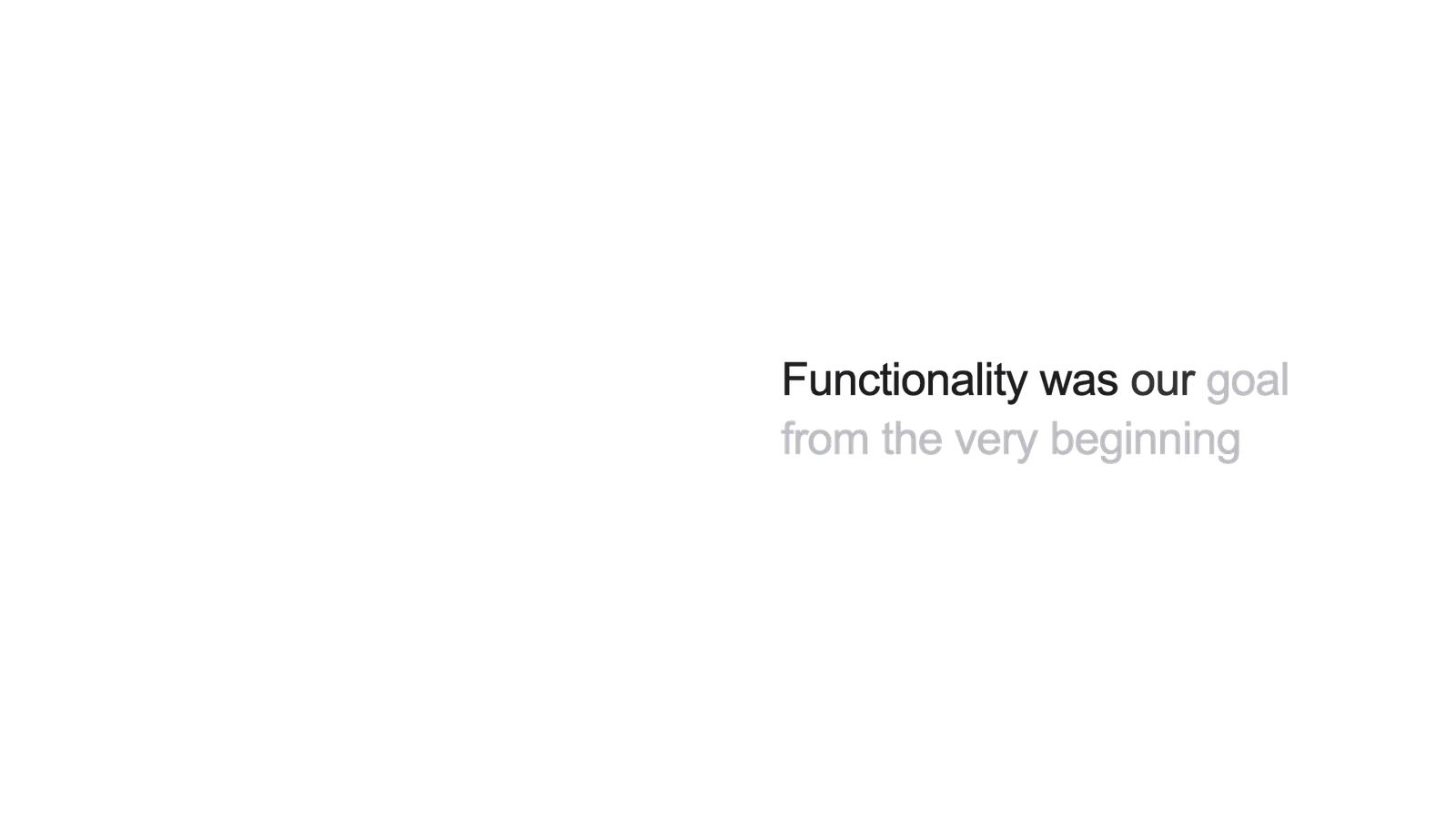
The sentence "Functionality was our goal from the very beginning" with the first words in black and the rest in light gray.

Template published by HeyGen (HyperFrames) under the Apache-2.0 license.

Show more

Prerequisites

You bring
The sentence to display and The voiceover start and end times
Dependencies
HyperFrames

How to use it

  1. Copy the file into your HyperFrames project's compositions folder.
  2. Edit CONFIG: text, size, position, light or dark scheme, sweep start and end.
  3. Overlay the block on the video, then render.

Content preview

Files

  • LICENSE10.5 KB
  • mk-callout-highlight.html6.7 KB
  • NOTICE-PALATEKIT.md0.4 KB
  • README.md1.5 KB
  • registry-item.json0.6 KB

Origin and licence

Modified by PalateKit

Author
HeyGen (HyperFrames)
Source
github.com/heygen-com/hyperframes/tree/2c3d1e07fe63d4a2d67d63a3e29d4ad73e291d8e/registry/blocks/mk-callout-highlight
Licence
Apache-2.0

Notice

Version modifiée de « Word-Sweep Highlight » (HeyGen (HyperFrames), Apache-2.0) : traduction française et fiche par PalateKit.

User reviews

–

No ratings yet

Loading reviews…

Delete your review?

Your rating and comment will be removed from the page.

Frequently asked questions

How do I follow a real voiceover?

Replace the linear sweep with several tweens of the progress value, one per phrase or word group.

Can I change the font?

Yes: the block's --mk-font CSS variable sets the font (Inter by default).